Tag: qr codes

  • How to Organize Storage Bins With QR Codes: A Complete Guide

    How to Organize Storage Bins With QR Codes: A Complete Guide

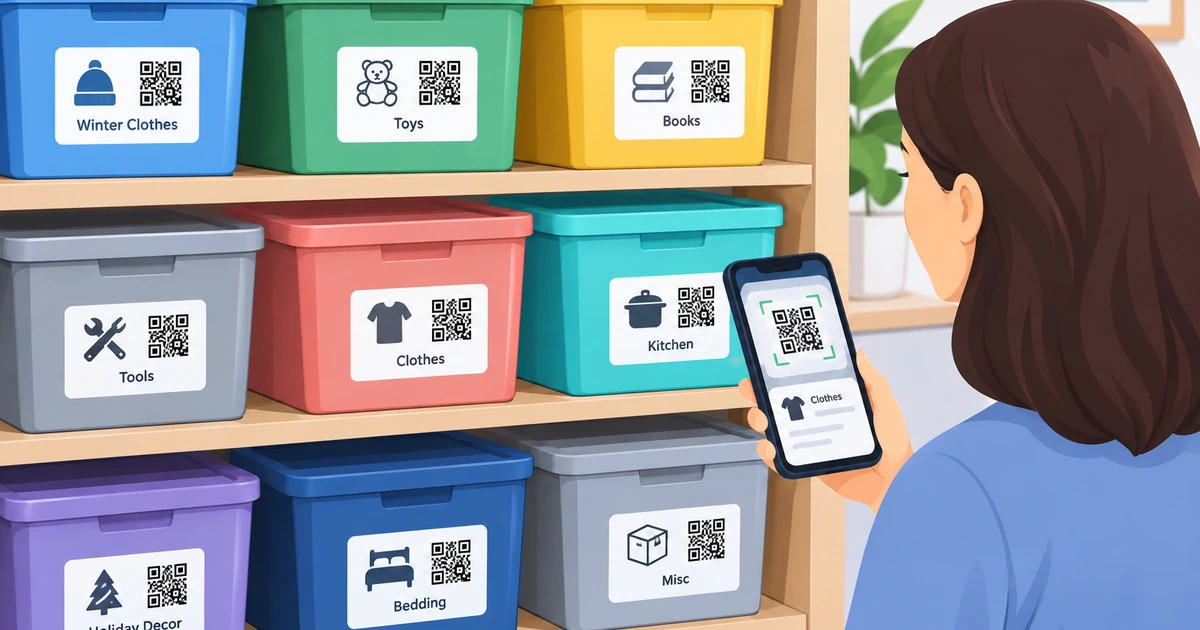
    If your garage, closet, or storage unit is filled with identical plastic bins and you can never remember what’s inside without opening every single one, you’re not alone. This is one of the most common organization problems people face — and one of the easiest to solve with a small shift in approach. Instead of relying on memory, sticky notes, or vague handwritten labels, more households and small businesses are turning to QR code storage labels to build a searchable, scalable system for their bins.

    This guide walks through exactly how to set up a QR-code-based organization system for storage bins, step by step, along with the reasons it works better than traditional methods.

    Why Traditional Bin Labeling Falls Short

    Most people start with good intentions: a marker, some masking tape, and a plan to label everything neatly. The problem shows up months later. Ink fades. Tape peels. Bins get restacked, and the label facing outward is no longer accurate. Worse, a handwritten label can only hold a few words — “kitchen stuff,” “kids’ toys,” “cables” — which rarely tells you what you actually need to know when you’re searching for something specific.

    The core limitation is that a written label is static. It cannot be updated without physically replacing it, and it cannot be searched. If you have more than a handful of bins, you end up doing what most people do: opening lids one by one until you find what you’re looking for. That’s not organization — that’s just guessing with extra steps.

    What Makes QR Code Storage Labels Different

    A QR code label solves this by separating the physical label from the information itself. The label on the bin doesn’t need to say much — it just needs to be scannable. All the actual detail lives in a digital record connected to that code, which you can update anytime from a phone, without ever touching the sticker again.

    This means a single small QR code on a bin can link to:

    • A list of everything inside
    • Photos of the contents
    • Notes about condition, quantity, or location
    • Keywords and categories for searching later

    Instead of remembering what’s in bin #14, you scan it and see the full contents instantly. Instead of digging through a stack of bins in a storage unit, you search a keyword on your phone and get pointed to the exact one you need.

    Step 1: Sort Before You Label

    Before any label goes on any bin, take the time to actually sort your items into logical groups. This sounds obvious, but it’s the step most people skip, and skipping it undermines everything that follows. Group items by:

    • Room or area (kitchen, garage, office)
    • Season (holiday decorations, summer gear, winter clothing)
    • Frequency of use (daily items vs. long-term storage)
    • Category (tools, electronics, documents, sentimental items)

    A QR code system only works as well as the organization behind it. Scanning a code that opens to a vague, disorganized list defeats the purpose.

    Step 2: Choose the Right Bins

    Uniform, stackable bins make the biggest visible difference in a storage space. Clear or semi-clear bins help with quick visual checks, but even opaque bins work perfectly well once QR labels are involved, since you’re no longer relying on seeing through the plastic to know what’s inside.

    When choosing bins, consider:

    • Size consistency, for easier stacking
    • Weather resistance, if stored in a garage, basement, or shed
    • Weight limits, especially for bins holding books or tools

    Step 3: Apply QR Code Storage Labels to Each Bin

    Once bins are sorted and filled, apply a QR code label to a consistent, visible spot on each one — typically the short end or top, so it stays scannable even when bins are stacked. Consistency in placement matters more than people expect; if labels end up in random spots, you’ll waste time hunting for the code itself.

    For labels to hold up long-term, look for ones that are:

    • Water-resistant, so moisture doesn’t degrade the code
    • Made of durable material like vinyl, which resists tearing
    • Coated for scratch resistance, since bins get moved and stacked repeatedly

    Step 4: Build the Digital Record for Each Bin

    This is the step that makes the entire system worthwhile. As each label goes onto a bin, take a few minutes to populate its digital entry with:

    • A short description of the contents
    • Photos, especially for bins with mixed or less obvious items
    • Keywords you’re likely to search later (for example, “extension cords,” “winter boots,” “tax documents 2023”)
    • The bin’s physical location, if you have multiple storage areas

    This step takes a little longer upfront than a quick handwritten label, but it’s where the real time savings come from. Every future search benefits from the effort spent here once.

    Step 5: Keep the System Updated

    The biggest reason organization systems fail over time isn’t the initial setup — it’s neglect. Bins get repacked, items get added or removed, and if the digital record isn’t updated to match, the system slowly becomes unreliable, just like a handwritten label would.

    Make it a habit to update a bin’s digital entry any time you significantly change its contents. Because QR code storage labels separate the physical label from the data, updating is quick: open the app, edit the entry, and the physical label never needs to be touched or replaced.

    Best Practices for Long-Term Success

    A few additional habits make a QR-based storage bin system even more effective:

    Use consistent keywords. If you tag one bin “holiday decor” and another “Christmas stuff,” searching becomes inconsistent. Pick a naming convention and stick to it across every bin.

    Best Customer Review video here : https://www.youtube.com/watch?v=7tyL2YB5Sb

    Group by zone, not just category. If you have multiple storage areas (garage, attic, storage unit), tag each entry with its location so search results also tell you where to go, not just what’s inside.

    Do periodic audits. Every few months, spot-check a handful of bins against their digital records to catch anything that’s drifted out of sync.

    Involve household or team members. If others share the space, make sure they understand how to scan and update entries too, so the system doesn’t rely on just one person’s memory.

    Why This Approach Scales Better Than Manual Labeling

    The real advantage of QR code storage labels over handwritten alternatives shows up as the number of bins grows. With five bins, almost any system works. With fifty, only a searchable digital system remains fast and reliable. Storage bins organized this way turn a physical search-and-guess process into a quick digital lookup — which matters just as much for a home garage as it does for a small business managing inventory or a nonprofit organizing donated supplies.

    Final Thoughts

    Organizing storage bins doesn’t have to mean memorizing what’s in every container or digging through boxes to find one item. By sorting thoughtfully, applying durable QR code storage labels, and maintaining an updated digital record behind each code, you build a system that stays accurate and searchable no matter how much storage grows over time. The upfront effort is small; the long-term payoff — never opening the wrong bin again — is what makes the switch worth it.
  • Smart Labels for Moving and Storage: Comparing Modern QR Labeling Solutions

    Smart Labels for Moving and Storage: Comparing Modern QR Labeling Solutions

    Moving to a new home or organizing long-term storage can quickly become overwhelming when boxes start piling up. Writing a few words on the side of each box may seem sufficient at first, but finding one specific item later can turn into a frustrating search.

    Smart labeling offers a more organized approach. By connecting physical labels with digital information, you can identify boxes, track their contents, and find stored belongings without opening multiple containers.

    Two solutions worth considering are Elephant Trax and SmartLabels. Both are designed to make storage more searchable, but they differ in their features and approach. Understanding those differences can help you choose a system that fits your organization needs.

    What Are Smart Labels?

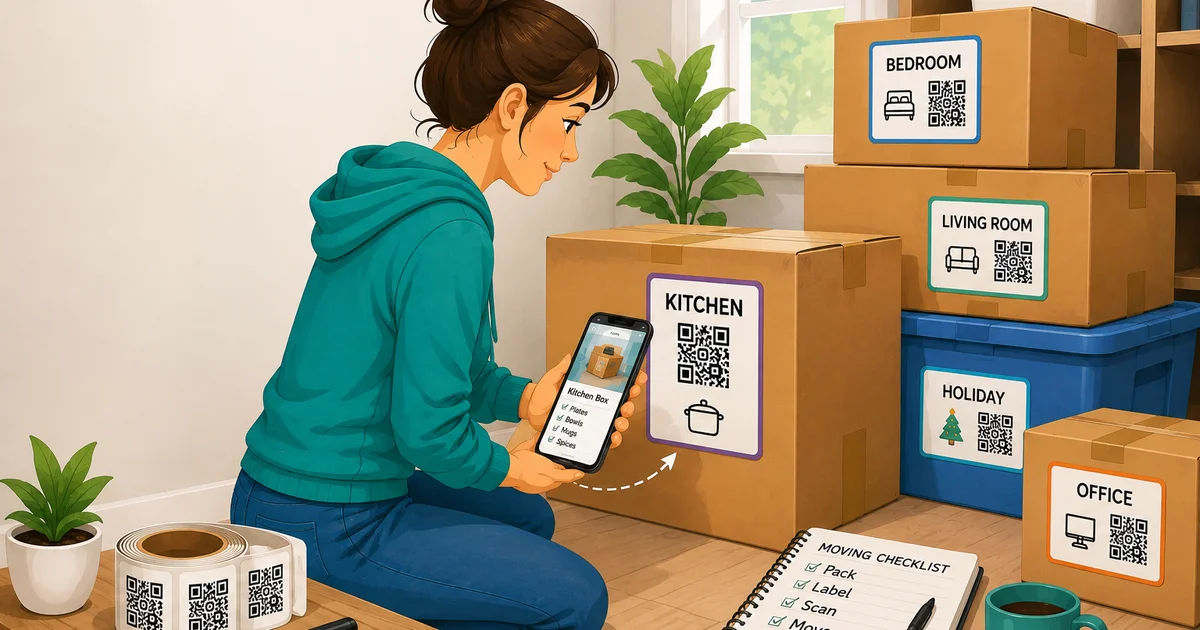
    Smart labels combine a physical label with digital information. Instead of relying only on handwritten descriptions, a QR-based label can connect a container to an inventory record.

    For example, you might place a QR code sticker on a box containing winter clothes. After scanning the code, you can access information about the contents without opening the box. The same idea can be used for moving boxes, storage containers, garages, closets, offices, and seasonal belongings.

    This approach can be particularly useful when many similar boxes are stored together.

    Elephant Trax: A More Comprehensive Organization Approach

    Elephant Trax takes QR-based storage beyond simple identification. It allows users to create digital records for their belongings and connect those records to physical containers.

    One of its key advantages is the ability to use photos, descriptions, categories, keywords, quantities, and locations to organize items. This can make it easier to build a detailed digital inventory rather than simply knowing which room a box belongs to.

    Advantages of Elephant Trax

    AI-assisted organization: Elephant Trax includes AI-powered photo tagging that can help identify and organize items from photographs. This can reduce some of the repetitive work involved in cataloging large collections.

    Searchable inventory: Instead of remembering which box contains a particular item, users can search their digital inventory using item information, categories, keywords, or locations.

    Bulk organization: For people dealing with many containers, bulk assignment and organization tools can make the process more efficient.

    Useful beyond moving: The system can continue to be useful after a move. It can help organize household storage, garages, offices, seasonal items, tools, and other belongings.

    Sharing and management tools: Elephant Trax also provides features designed for shared inventories, including cloud access, user permissions, and activity tracking.

    Possible Limitations

    A system with more organization features can require more initial setup. Users who only need basic room labels may not need detailed inventory records, photos, or advanced search tools.

    For someone who wants a simple labeling system, this additional functionality may feel unnecessary. However, for larger collections, the extra organization can become a significant advantage.

    SmartLabels: Simple Digital Storage Organization

    SmartLabels also uses QR technology to connect physical storage labels with digital inventory information. Users can scan labels, add information about their belongings, and search their stored items through the associated application.

    The approach is relatively straightforward, making it suitable for people who want to move away from handwritten box labels without adopting an overly complicated system.

    Advantages of SmartLabels

    Straightforward setup: Users can create a label, connect it to a container, and add information about what is stored inside.

    Digital inventory: Items can be documented digitally rather than relying entirely on handwritten notes.

    Search functionality: Searching for stored belongings can be easier than checking the contents of multiple boxes manually.

    Photo support: Photos can help users remember what is inside a container without physically opening it.

    Possible Limitations

    SmartLabels covers the essential functions needed for QR-based storage organization, but users looking for more advanced inventory-management capabilities may find the feature set more limited.

    For basic home organization and moving, this may not be a major concern. However, households with extensive storage, shared inventories, or larger collections may benefit from additional management and organization tools.

    QR Code Sticker vs. Traditional Box Labels

    Traditional labels still have their place. Writing “Kitchen,” “Bedroom,” or “Books” on a box is quick and requires no technology.

    The problem appears when you need to locate one particular item.

    A QR code sticker can provide a much more detailed digital record. Instead of writing every item on a box, you can connect the label to information such as photos, descriptions, categories, and storage locations.

    This makes QR labeling especially useful when boxes are packed tightly together or stored for several months.

    Using Smart Labels for Storage Bins

    Smart labeling isn’t limited to cardboard moving boxes. Storage labels for bins can be particularly helpful for long-term organization.

    Consider a garage filled with plastic bins containing holiday decorations, tools, children’s belongings, camping equipment, or seasonal clothing. Traditional labels may tell you the general category, but a digital inventory can provide much more detail.

    For example, instead of searching through five bins marked “Holiday,” you could check the digital inventory to determine which bin contains specific decorations.

    This can save time and reduce unnecessary unpacking.

    Elephant Trax vs. SmartLabels: Which Is Better?

    Both systems offer a more modern alternative to traditional labeling. SmartLabels can be a practical option for users who want straightforward QR-based inventory organization.

    Elephant Trax, however, stands out for users who want a broader organization system. Its combination of AI-assisted tagging, photo-based inventory, searchable records, bulk organization, cloud functionality, and sharing tools gives it an advantage for more detailed storage management.

    The difference becomes more noticeable when the number of boxes and belongings increases. A simple labeling system may work well for ten boxes, but a larger household inventory can benefit from more advanced search and management capabilities.

    Which Smart Labeling Solution Should You Choose?

    The right choice depends on how much organization you need.

    If your main goal is simply to identify containers and maintain a basic digital inventory, SmartLabels may provide the essential tools you need.

    If you want a system that can grow with your storage needs, Elephant Trax is the stronger choice. Its additional organization and inventory features make it useful not only during a move but also for managing belongings over the long term.

    Rather than treating smart labels as something used only on moving day, think of them as part of an ongoing organization system. Whether you are labeling moving boxes, organizing a garage, or managing storage labels for bins, a searchable digital inventory can make it much easier to know what you own and where it is stored.

    For households looking for a more complete approach to digital storage organization, Elephant Trax is worth considering.

  • Smart Moving Tips: Label Moving Boxes With QR Code Stickers

    Smart Moving Tips: Label Moving Boxes With QR Code Stickers

    Moving can feel overwhelming, especially when your home is suddenly filled with boxes. Packing is only half the challenge—the bigger problem often begins when it is time to unpack and find something you need.

    A simple labeling system can make a major difference. Instead of relying only on handwritten descriptions, QR code stickers can connect each box to a digital record of its contents. This gives you a clearer way to organize belongings before, during, and after a move.

    The goal is not to create a complicated system. It is to make your belongings easier to identify, locate, and manage.

    Why Smart Labels Can Make Moving Easier

    A box marked “Kitchen” may tell you where it belongs, but it does not necessarily tell you what is inside.

    You may have several kitchen boxes containing cookware, dishes, appliances, pantry supplies, and small utensils. Once those boxes are stacked together, finding one specific item can mean opening multiple containers.

    QR labeling adds another layer of information. Each sticker can be connected to a digital record containing details such as item names, photos, categories, and notes.

    This approach follows a basic organizing principle: everything should have a clear place and an easy way to be found.

    Create a Simple System Before You Pack

    Before applying stickers, decide how you want to organize your boxes.

    Start with broad categories based on rooms:

    • Kitchen
    • Bedroom
    • Bathroom
    • Living room
    • Home office
    • Garage
    • Storage
    • Children’s room

    Then create smaller categories within each room.

    For example, instead of writing only “Kitchen,” use descriptions such as:

    • Kitchen – Cookware
    • Kitchen – Dinnerware
    • Kitchen – Small Appliances
    • Kitchen – Baking Supplies

    This makes the physical box easier to identify while also giving your digital inventory a logical structure.

    Label Moving Boxes With More Than Just a Room Name

    A useful label should answer at least two questions: Where does this box belong? What is inside it?

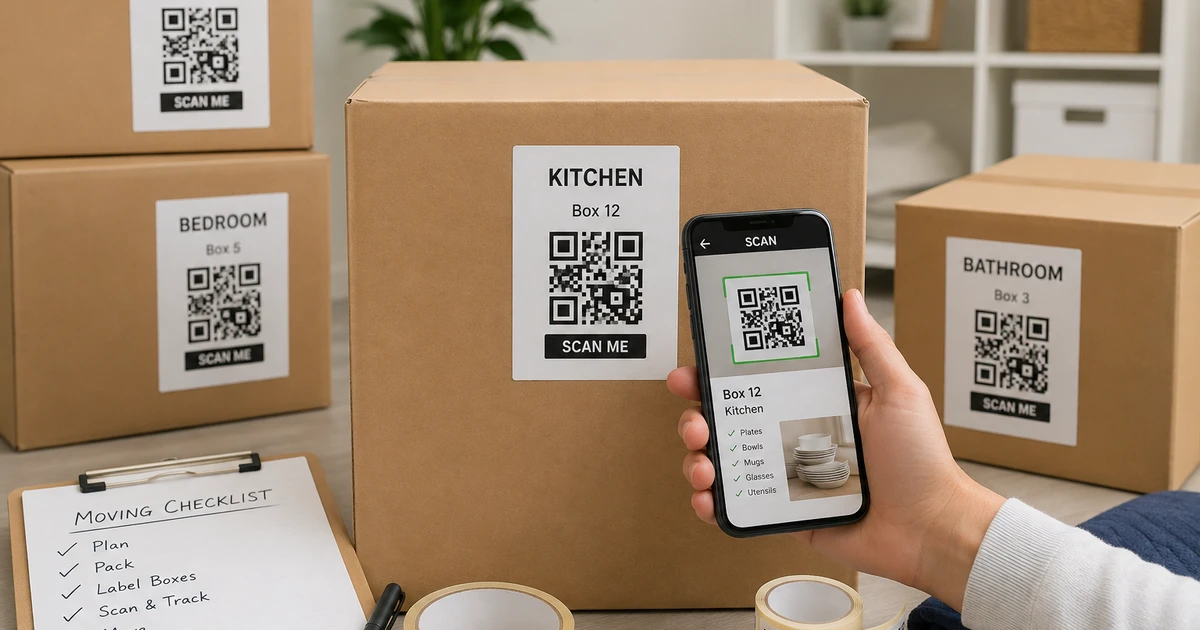
    You can add a box number, room name, category, and priority level. For example:

    Box 12 – Kitchen – Coffee & Breakfast Items – Open First

    A QR sticker can then provide additional information that would be difficult to fit on the outside of the box.

    You can record photographs, item descriptions, quantities, and notes digitally. That means the outside of the box stays simple while the detailed information remains accessible from your phone.

    Use QR Code Stickers to Build a Digital Inventory

    Once a box is packed, attach its unique QR sticker to a visible area.

    The QR code becomes the connection between the physical container and your digital inventory. When you scan it, you can check the information associated with that particular box rather than opening it to see what is inside.

    This can be especially useful when boxes are stored in a garage, basement, attic, storage unit, or moving truck.

    For larger moves, it also reduces the need to remember which box contains every individual item.

    Recommendation: Consider Elephant Trax

    If you want to take this approach beyond traditional labels, Elephant Trax is one option worth considering. Its QR-based inventory system is designed to connect physical storage containers with digital information. You can add photos and item details, then associate them with QR labels so you can check your belongings from your phone.

    This can be particularly helpful during a move because the same labels can remain useful after you arrive at your new home. Instead of creating a completely new organization method for long-term storage, you can continue using the inventory you’ve already created.

    Elephant Trax also positions its system for moving and storage, making it suitable for people who want to combine physical labeling with digital tracking.

    Add Photos While You Pack

    Photos can make a digital inventory much more useful.

    Before closing a box, take a quick picture of its contents. You do not need professional photographs. A simple photo can help you recognize the general contents later.

    For example, if you are looking for a particular kitchen appliance, you can check your inventory instead of opening several similarly labeled boxes.

    Photos are also useful for fragile or valuable belongings because they provide a visual record of what was packed.

    Create an “Open First” Category

    Not every box needs the same priority.

    Create a separate group for items you will need immediately after arriving. These might include:

    • Toiletries
    • Towels
    • Chargers
    • Basic cooking supplies
    • Coffee or tea
    • Important documents
    • Basic clothing
    • Cleaning supplies
    • Essential tools

    Clearly identifying these boxes can prevent the common situation where important everyday items end up buried underneath boxes that can wait.

    Make Your Labels Easy to Scan

    Placement matters just as much as the label itself.

    Put the QR sticker somewhere visible and easy to reach. If boxes will be stacked, consider placing a sticker on both the top and side when appropriate.

    Avoid locations that are likely to be covered by packing tape, damaged during transportation, or hidden underneath another box.

    The objective is simple: when you need information, you should be able to scan the code without moving half the stack.

    Keep Your Organization System After the Move

    One of the biggest benefits of using a digital inventory is that it does not have to end when the move is complete.

    Your boxes may eventually move from the living room into a garage or storage area. Seasonal decorations may remain packed for months. Extra household items may stay in storage until you need them.

    A good organization system should continue working as your storage changes.

    This is where organization systems for home can become more useful than one-time decluttering. The focus shifts from simply making a space look tidy to creating a system that helps you find and return things easily.

    You can also update the digital record when a box is opened, items are removed, or its location changes.

    Think Beyond Moving Day

    A smart labeling method can help with more than unpacking.

    Once your belongings are digitally organized, you can use the same approach for:

    • Seasonal storage
    • Garage organization
    • Holiday decorations
    • Keepsake boxes
    • Children’s belongings
    • Home office supplies
    • Important household items

    Instead of creating separate systems for every storage area, you can build one consistent method that works throughout your home.

    Final Thoughts

    A successful move is not just about getting everything from one house to another. It is about being able to find your belongings once they arrive.

    Simple descriptions, clear categories, photographs, and QR technology can turn a collection of anonymous boxes into a system that is much easier to manage.

    The best approach is one that remains useful after moving day. By connecting physical containers with digital information, you can spend less time searching through boxes and more time settling into your new home.

    For anyone looking to make moving and long-term storage easier, QR-based labeling offers a practical step toward a more organized home.